Prescription

Write and send Rx from one Visit Pad

Open the patient, enter complaint, diagnosis, vitals and medicines on a single screen. Add a diagram or attach a file when you need it. Finish the visit and send the Rx PDF to the patient on WhatsApp.

Drafts stay private until you finalise. Patients only see final prescriptions in their portal.
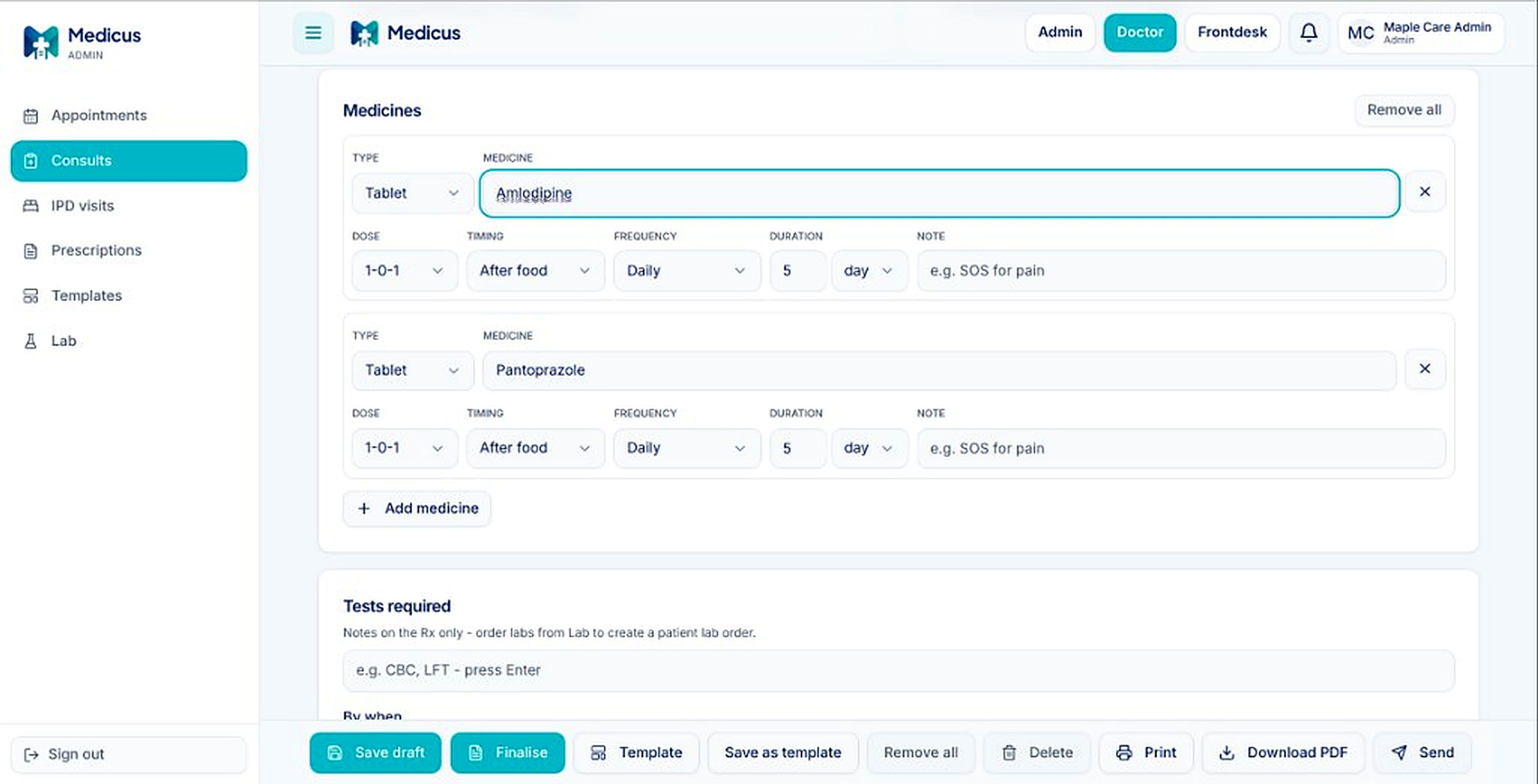
MedBharat Visit Pad prescription screen
Appointment

Book slots that stay conflict-free

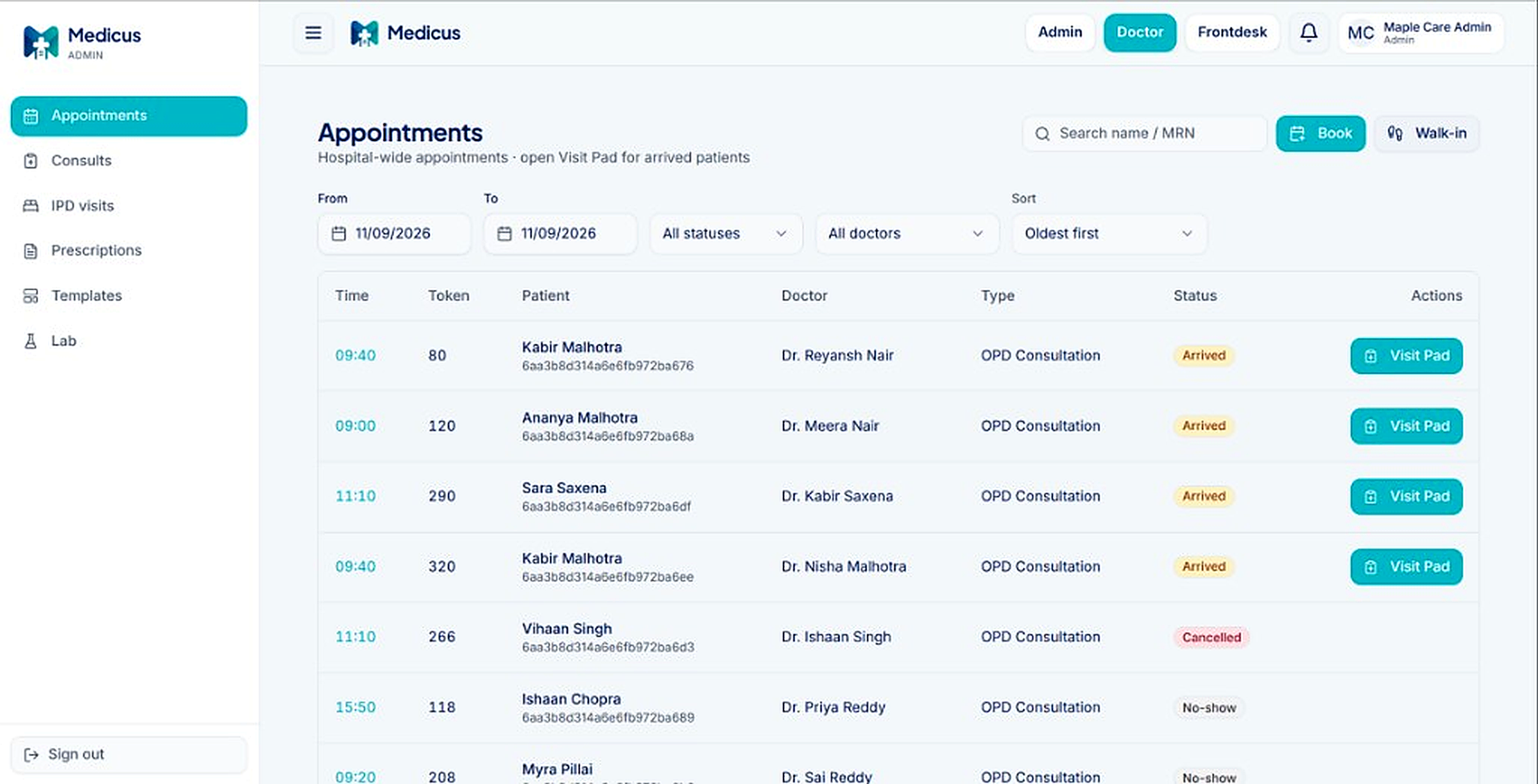
Pick a doctor, date and free slot. Walk-ins and online bookings share the same calendar, so double-booking is blocked. Tokens are assigned fresh each day and never repeat, even across doctors.

Front desk and doctors see the same list. Reschedule or cancel without losing the patient chart.

Doctor appointments list
Queue

See who is waiting on a live board

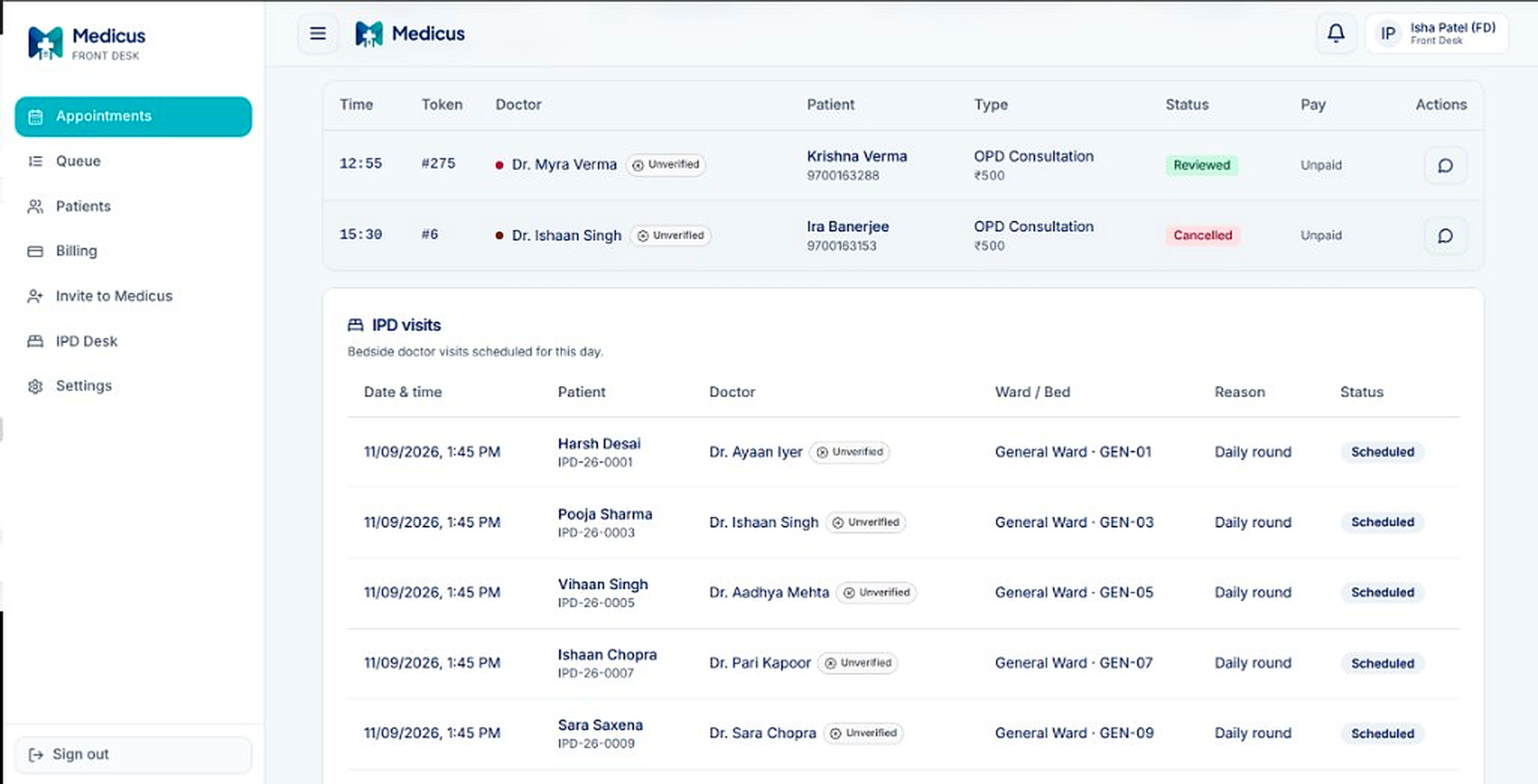
Arrived, On-going and Reviewed update as the day moves. Reception and the consulting room stay on the same board so nobody has to guess the next patient.

Filter by doctor or status when the waiting room is busy.

Front desk queue board
Templates

Fill a full Rx in a few clicks

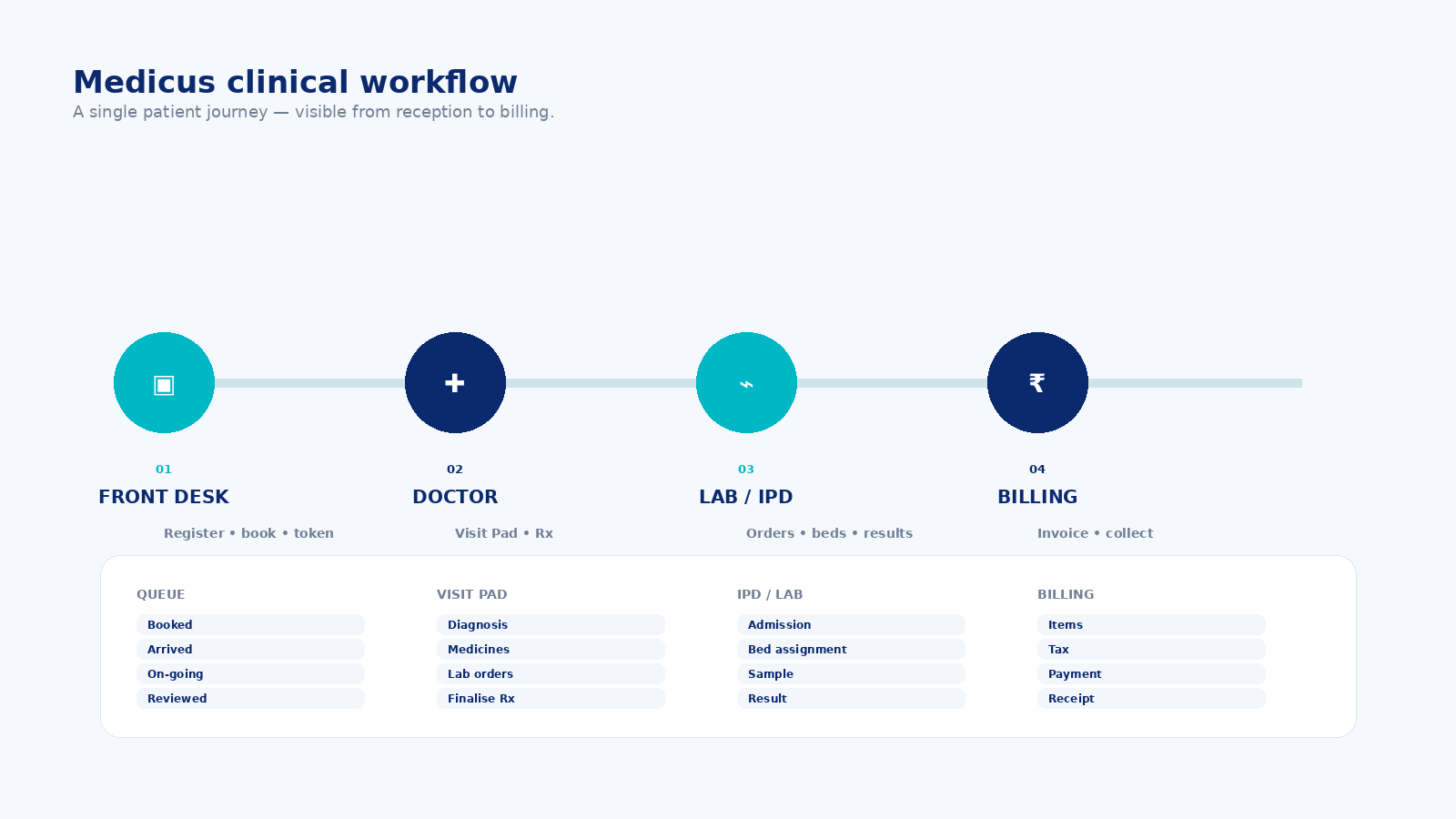
Save common prescriptions as templates: diagnosis, medicines and notes together. Apply one in the Visit Pad and change only what is different for this patient.

Keep private templates for yourself, or share hospital templates with the whole team.

Clinical workflow with templates
Labs

Order, enter and publish lab results

Order tests from your catalog, enter values, mark critical highs and lows, then verify and publish. The patient gets an inbox alert and WhatsApp when results are ready.

Critical flags stand out so the care team can act without digging through the chart.